@Full-stack developer and experienced in AI/Agentic systems.
Subham
2026 · completed · desktop
Atlas
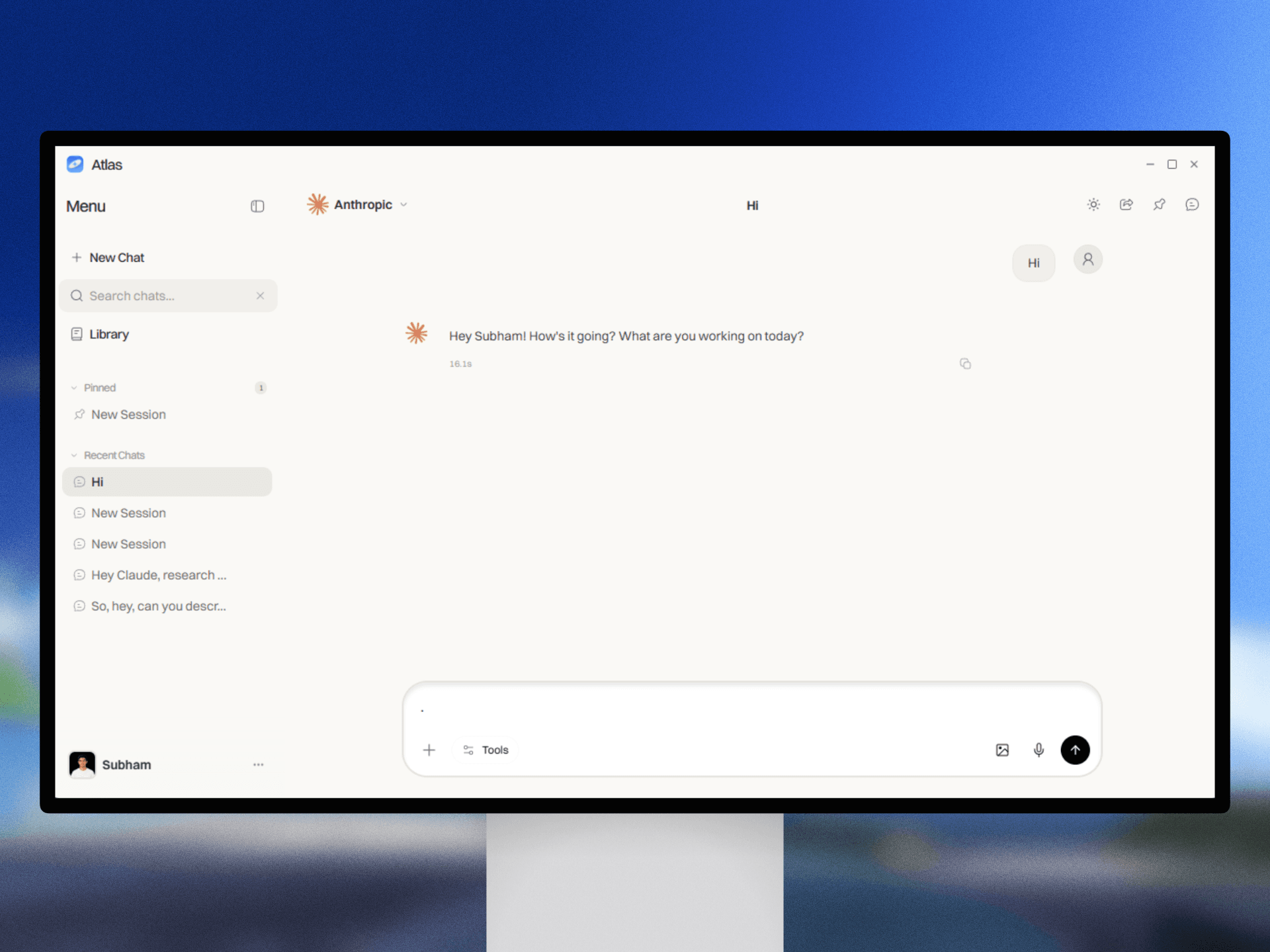
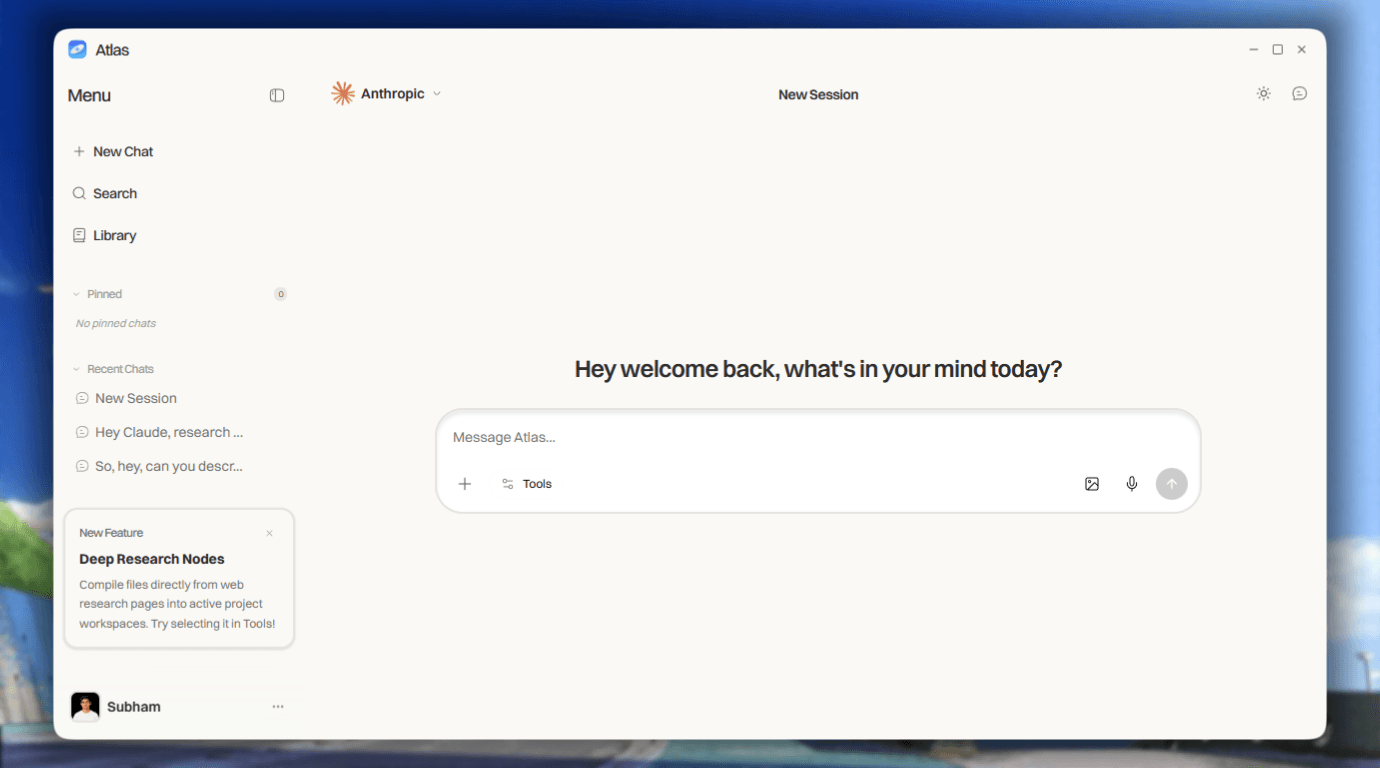
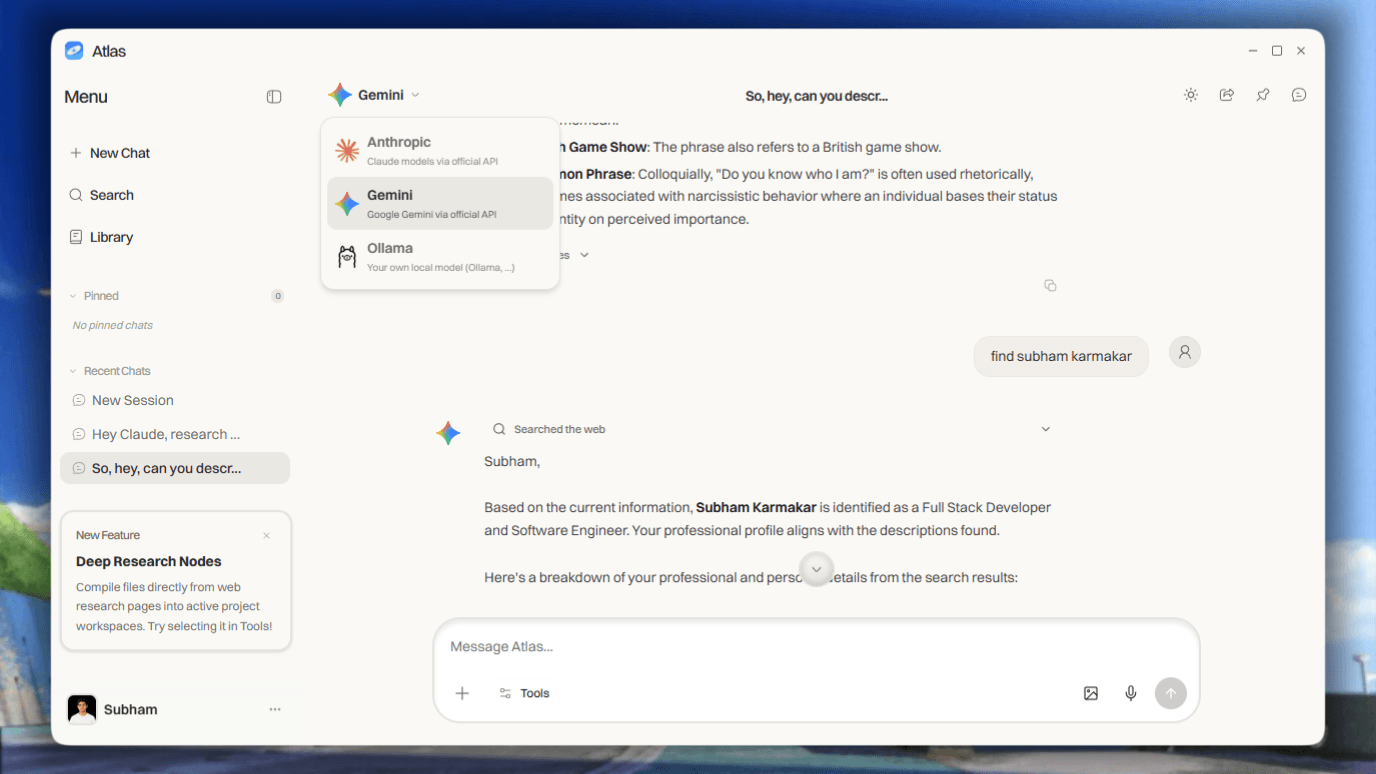
A desktop AI assistant built with Electron and FastAPI that unifies OpenAI, Anthropic, Gemini, OpenRouter, and local models like Ollama in one chat interface. It includes real-time streaming and a persistent memory system powered by RAG, rolling summaries, and an entity graph to preserve context across conversations.
This project is a multi-provider desktop AI chat application designed to bring different cloud and local language models into one unified interface. Instead of relying on separate tools for OpenAI, Anthropic, Gemini, OpenRouter, Ollama, or LM Studio, the application provides a single environment where users can switch between providers, maintain conversations, stream responses in real time, and access advanced features such as persistent memory, web search, voice transcription, vision input, and image generation.
The project was built as a desktop application using Electron and React, with a FastAPI backend responsible for provider communication, chat persistence, memory management, credentials, image generation, web search, and voice transcription. The Electron main process handles desktop-specific operations such as local authentication, profile storage, application locking, exports, and inter-process communication. The React renderer provides the main chat experience, including the conversation area, sidebar, provider settings, profile controls, application state, and live response rendering through Server-Sent Events.
One of the core goals of the project was to create a consistent experience across multiple AI providers. Each provider has its own API structure, authentication method, message format, streaming protocol, error model, multimodal support, and response metadata. To solve this, the backend uses a shared adapter architecture that converts a common internal request into the format required by the selected provider. The response is then normalized before being returned to the frontend. This allows the user interface to treat OpenAI, Anthropic, Gemini, OpenRouter, and local OpenAI-compatible servers as part of the same system.
the problem
## Problem Statement
AI assistants are fragmented across different providers, each with separate interfaces, APIs, response formats, and context limitations. Users often lose conversation continuity when switching models, while most tools either lack persistent memory or fail to separate long-term user context from individual chat sessions.
This project solves that problem by creating a unified desktop AI assistant that connects cloud and local models through one consistent interface. It preserves relevant information using RAG, rolling summaries, and an entity graph while keeping global memory and chat-specific context properly isolated.
highlights
A powerful **multi-provider AI chat platform** that brings cloud models, local LLMs, real-time web search, persistent memory, image generation, and voice input into one unified interface. Users can switch between providers without losing conversation context, manage long-running chat sessions, and configure local or hosted models from a single settings panel.
**Multi-Provider Chat**
Connect with OpenAI, Anthropic, Gemini, OpenRouter, and local OpenAI-compatible servers such as Ollama and LM Studio.
**Stateful Sessions**
Maintain multi-turn conversations with isolated, serialized context for every chat session.
**Real-Time Token Streaming**
Stream model responses through an SSE endpoint for smooth, live reply rendering in the interface.
**Vision Input**
at a glance
5+AI Providers Integrated
3Input Modalities Supported
4Memory Operations Per Turn
80%Workflow speed improvement
architecture
sequenceDiagram
    participant User
    participant UI as Electron Desktop UI
    participant API as FastAPI Backend
    participant Context as Context Manager
    participant Brain as Memory Layer
    participant Adapter as Provider Adapter
    participant Provider as AI Provider
    participant Store as Local Storage
    participant Services as Supporting Services

    User->>UI: Send text, image, or voice input
    UI->>API: Send request using HTTP

    API->>Store: Load chat history
    Store-->>API: Return session data

    API->>Context: Build conversation context
    Context->>Brain: Request relevant memories

    Brain->>Store: Search global and chat memory
    Store-->>Brain: Return memories and summary
    Brain-->>Context: Return enriched context

    opt Web search enabled
        API->>Services: Search using Tavily
        Services-->>API: Return results and sources
    end

    opt Voice input provided
        API->>Services: Transcribe using Groq Whisper
        Services-->>API: Return transcript
    end

    Context->>Adapter: Send normalized request
    Adapter->>Provider: Call selected AI model

    Provider-->>Adapter: Stream response tokens
    Adapter-->>API: Return normalized token stream
    API-->>UI: Stream SSE events
    UI-->>User: Render live response

    API->>Store: Save user and assistant messages
    API->>Brain: Update memory

    Brain->>Store: Update rolling summary
    Brain->>Store: Save entities and relationships

    opt Image generation requested
        UI->>API: Send image generation prompt
        API->>Services: Generate image
        Services-->>API: Return generated image
        API-->>UI: Display generated image
    end
How a request moves through the system.
challenges
01
Building the Context Memory Layer
The hardest part was designing a memory system that could recall useful information without sending the entire conversation history every time.
How I tackled it: I combined semantic retrieval, rolling summaries, and a lightweight entity graph so the system could retrieve only the most relevant context before each response.
02
Separating Global and Chat-Specific Context
Global memory needed to persist across conversations, while each chat had to remain isolated. Mixing these two could introduce irrelevant information into unrelated sessions.
How I tackled it: I created separate storage and retrieval paths for global user memory and per-session chat context, then merged them only during prompt construction using clear priority rules.
03
Maintaining Rolling Summaries Per Chat
Long conversations quickly became expensive and difficult to manage because sending the complete history increased token usage.
How I tackled it: I maintained an independent rolling summary for every chat and combined it with recent messages, allowing the system to preserve important context while keeping prompts smaller.
04
Synchronizing Multiple AI Providers
OpenAI, Anthropic, Gemini, OpenRouter, and local models use different request formats, streaming structures, authentication methods, and error responses.
How I tackled it: I built a shared provider adapter interface that normalizes messages, streaming events, errors, vision inputs, and final outputs into one consistent internal format.
The application supports stateful, multi-turn chat sessions. Every conversation is stored independently and contains its own messages, provider configuration, rolling summary, and session-specific context. This makes it possible to continue older conversations without losing their structure or mixing information between chats. Conversation history is persisted in a server-side SQLite database, allowing users to search, pin, reopen, and manage previous chats through the chat library.
A major part of the system is the persistent memory layer, referred to as the brain. The memory architecture combines semantic recall, rolling summaries, and a lightweight entity-relation graph. Before a request is sent to a model, the memory layer retrieves relevant information from earlier interactions and injects it into the prompt. After the response is completed, the system stores useful new information, updates the conversation summary, and enriches the memory graph.
The memory architecture separates two different types of context. Global context contains long-term user information that may be useful across multiple conversations, while chat-specific context contains information relevant only to the current session. Keeping these two layers separate was essential because global memory needs to remain reusable, while individual conversations must stay isolated. This design prevents unrelated details from leaking into other chats while still allowing the assistant to maintain continuity over time.
The rolling summary system helps manage long conversations without repeatedly sending the entire message history to the provider. As a conversation grows, important information is compressed into a structured summary. This summary is maintained independently for each chat and is combined with recent messages and recalled memories when constructing the next prompt. This reduces unnecessary token usage while preserving important decisions, requirements, and earlier discussion points.
The project also supports real-time token streaming through Server-Sent Events. Instead of waiting for the entire response to complete, the backend forwards generated tokens to the React interface as they arrive. This creates a faster and more natural chat experience. Since each provider streams data differently, the adapter layer also normalizes streaming events into a single format that the frontend can process consistently.
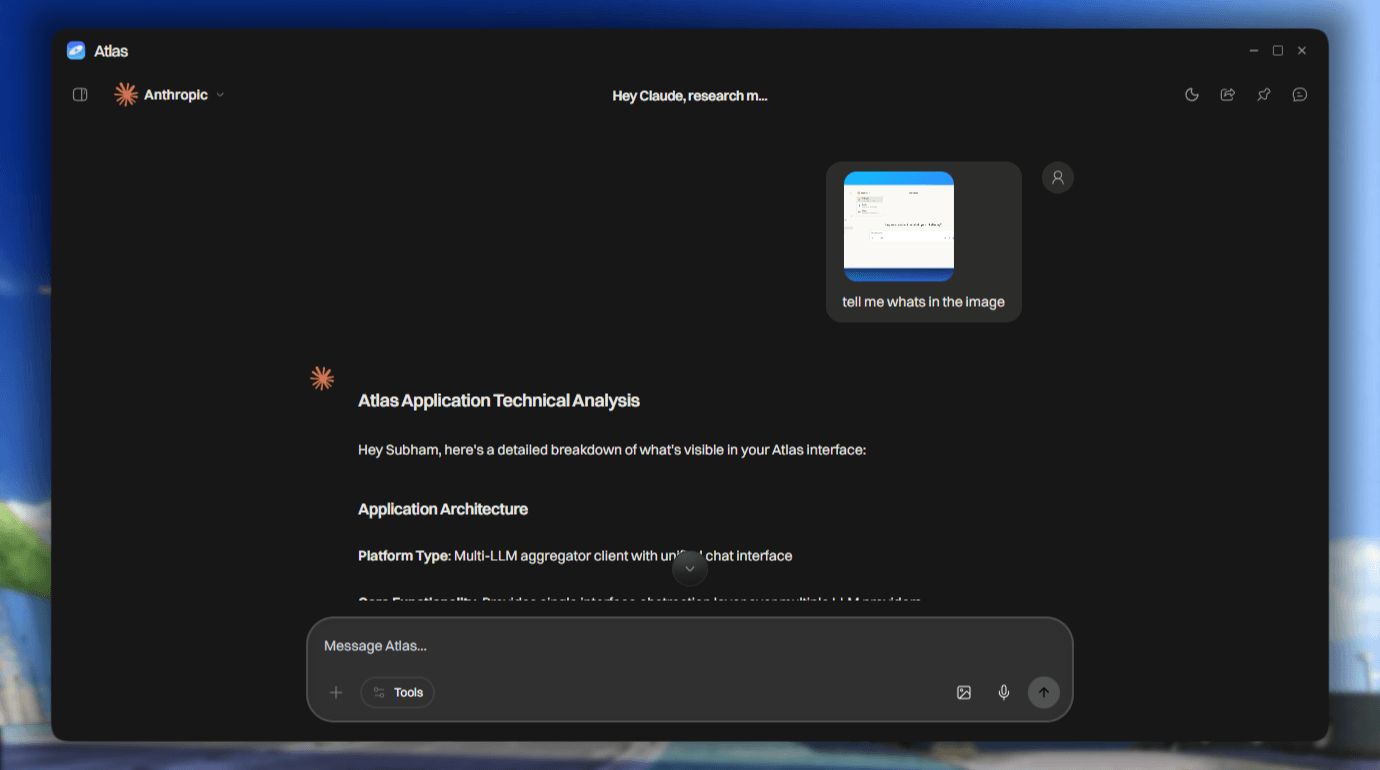
Multimodal support allows users to attach images to prompts and send them to supported vision-capable models. The system handles provider-specific image formats and converts uploaded images into the structure expected by the selected adapter. This makes image analysis available across supported cloud providers without requiring separate interfaces.
Image generation is exposed through a unified backend endpoint. The application supports OpenAI image generation and Gemini Imagen models while hiding their different request and response structures behind one service. Users can submit an image prompt from the desktop interface, choose a supported provider, and receive the generated result inside the application.
The application also includes real-time web search powered by Tavily. Search results are collected by the backend and folded into the model prompt so that responses can include current information. Relevant sources are preserved and displayed as source references in the interface. A broader research mode is also available, which increases the number of search results and adds a stronger instruction for the model to examine the topic more thoroughly. This mode is intentionally implemented as an expanded search workflow rather than a separate multi-step autonomous agent.
Voice typing is supported through Groq’s Whisper `large-v3-turbo` model. The Electron renderer records audio from the microphone and sends the recording to the backend. The backend processes the audio, forwards it to the transcription API, and returns the generated text to the chat input. This allows users to dictate prompts without relying on native operating-system speech features.
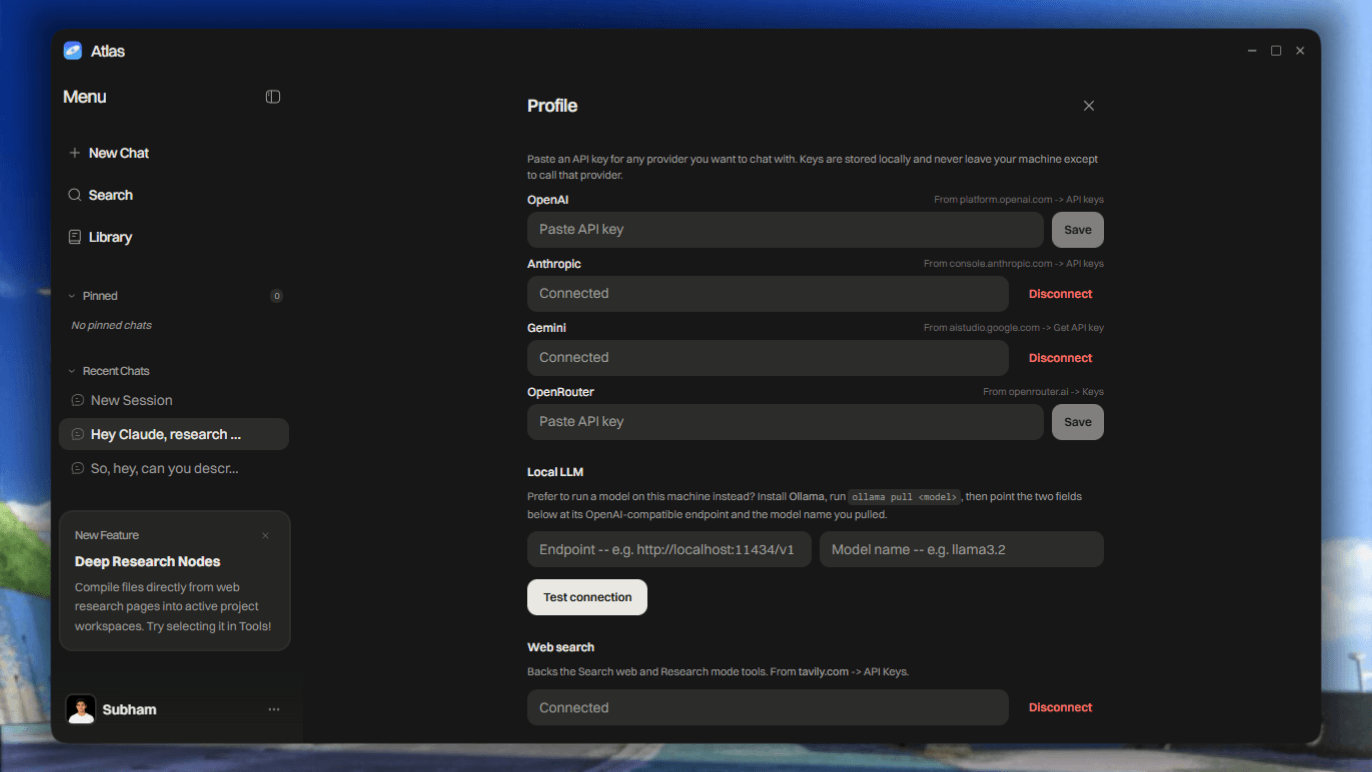
Provider configuration is managed through the profile and advanced settings interface. Users can save API keys, test provider connections, select default models, and configure local OpenAI-compatible servers by entering a base URL and model name. This makes it possible to use locally hosted models from Ollama, LM Studio, llama.cpp, or similar services alongside hosted commercial APIs.
The application includes a local lock screen for basic desktop privacy. Users can enable password protection, with the password stored as a bcrypt hash inside Electron’s user data directory. The application also supports dark and light themes, Markdown rendering, syntax-highlighted code blocks, searchable chat history, pinned conversations, and HTML export.
From an architectural perspective, the project is divided into focused modules. Provider adapters handle model-specific communication. The memory system manages recall, summaries, persistence, and relationships. Separate storage modules manage chats, credentials, and memory data. Other services are responsible for web search, image generation, and voice transcription. This separation makes the codebase easier to extend, test, and maintain.
The most difficult part of the project was not connecting individual APIs, but making every provider behave consistently inside the same application. The system had to handle differences in streaming, vision, metadata, errors, output formatting, model configuration, and context limits. Building a reliable abstraction layer required careful normalization across the complete request-and-response lifecycle.
Another major challenge was maintaining global memory and chat-specific context without mixing them. Each conversation needed its own history and rolling summary, while the global brain needed to retrieve information that could be useful across sessions. Designing the correct boundaries between these systems was essential for preserving relevance and preventing context contamination.
The project provided practical experience in desktop application development, backend architecture, AI provider integration, semantic retrieval, multimodal input, streaming systems, prompt construction, local model compatibility, and persistent session management. It also demonstrated that a multi-provider AI application requires much more than API integration. A usable system must create consistent behavior, predictable data flow, isolated context, secure configuration, and a coherent user experience across every provider and feature.
Overall, the project acts as a unified AI workspace where users can choose the most suitable model for each task without losing their conversation history or personal context. It combines the flexibility of multiple providers, the privacy of local models, the continuity of persistent memory, and the usability of a modern desktop chat interface into a single modular platform.
Attach images directly to prompts and analyze them using any supported multimodal chat provider.
**Image Generation**
Generate images using OpenAI’s `gpt-image-1` or Gemini’s `imagen-4.0-generate-001` through a unified `/images/generate` endpoint.
**Web Search**
Perform real-time internet searches using Tavily, with relevant findings injected into the prompt and source references displayed in the UI.
**Research Mode**
Run broader Tavily searches with more results and detailed research instructions for deeper, more comprehensive responses.
**Voice Typing**
Record audio directly from the app and convert speech to text using Groq’s `whisper-large-v3-turbo` transcription API.
**Persistent Memory — The Brain**
Preserve context across conversations using semantic recall, rolling summaries, and a lightweight entity-relation graph injected into each turn.
**Provider Settings**
Save API keys, test provider connections, and configure custom local LLM base URLs and models from **Profile → Advanced**.
**Chat Library**
Search, pin, organize, and manage conversation history synced with the server-side `chats.db` database.
**App Lock Screen**
Protect the application with an optional local password secured using bcrypt and stored within Electron’s `userData` directory.
**Rich Chat Experience**
Includes dark and light themes, Markdown rendering, syntax-highlighted code blocks, and HTML conversation export.
05
Managing Streaming Output Consistently
Each provider streams tokens differently, which made it difficult for the frontend to handle responses using one implementation.
How I tackled it: I converted provider-specific stream events into a standard SSE format before sending them to the Electron renderer.
06
Preventing Context Leakage Between Sessions
Since multiple chats could be active and persisted independently, there was a risk of loading the wrong summary, memory, or message history.
How I tackled it: I scoped every operation using a session identifier and serialized chat-specific reads, writes, summaries, and retrieval queries separately.
learnings
Designing a Persistent Memory System. I learned how to build a memory layer using semantic recall, rolling summaries, and entity relationships to preserve useful information across conversations.
Managing Multiple Context Layers -I gained a deeper understanding of separating global user memory from chat-specific context while preventing information from leaking between unrelated sessions.
Building Provider Abstraction Layers. Integrating OpenAI, Anthropic, Gemini, OpenRouter, and local models taught me how to normalize different request formats, streaming protocols, errors, and response structures behind a common interface.
Handling Real-Time Streaming. I learned how to use Server-Sent Events to stream tokens from the backend and render responses progressively in the desktop interface.
Maintaining Stateful Chat Sessions. I learned how to serialize conversations, isolate session data, maintain rolling summaries, and restore complete chat states across application restarts.
Working with Multimodal AI. I gained practical experience with image-based prompts, provider-specific vision formats, image generation APIs, and handling generated media in the application.